
Humanode Bridge is live: HMND now trades on Uniswap on Base

The Humanode Bridge is live at bridge.hmnd.app. You can now move HMND and USDC between the Humanode network and Base, in both directions, from any EVM wallet.
The bridge runs on Hyperlane's warp route contracts, audited by Trail of Bits and ChainLight (reports), and independent human-node operators hold the majority of its validators. With the bridge open, HMND liquidity moves to the official HMND/USDC pool on Uniswap v2 on Base, and BioStaking rewards launch on that pool soon.
Provide liquidity and earn BioStaking rewards
- Bridge HMND from Humanode to Base at bridge.hmnd.app (see How to bridge below).
- Get USDC on Base to pair with it.
- Add both to the official HMND/USDC pool on Uniswap. Base transactions cost a few cents at most.
- Biomap your address at biomapper.hmnd.app and stake your LP position in BioStaking as soon as it launches. We will announce it in official Humanode channels.
As of November 26, the pool holds about $37,000 in liquidity and is already trading, so you add liquidity at its current price. You earn from day one: 0.25% of every swap goes to liquidity providers and accrues to your LP position, and any wallet or aggregator that routes through Uniswap on Base can buy HMND from this pool. When BioStaking launches, not everyone will stake on day one, so the first stakers split the same rewards among fewer people and their APR runs higher in the first days.
BioStaking rewards humans. You earn only while you are biomapped, meaning you linked your address to your unique private face scan in Biomapper. Since biomapping ties every position to a unique human, a whale can't split into a hundred wallets to get around it.
If you had LP staked in the old BioStaker, you don't need to do anything: we are migrating your position to the new pool for you. Details are in HMND liquidity is heading to Uniswap on Base.
What you can bridge
- HMND: native on Humanode (shown as eHMND on Humanode's EVM side), bridged to Base as HMND.
- USDC: native on Base (Circle's USDC), bridged to Humanode as USDC.
If you hold WeHMND, you can bridge it as it is.
The bridge is a standard Hyperlane warp route: tokens are locked on their native chain and minted one to one on the other. Circle doesn't issue the USDC on Humanode; our bridge mints it against USDC locked on Base.
The old ChainPort USDC on Humanode is a different token, and the new pool accepts only the USDC from this bridge. Both show as "USD Coin (USDC)" in wallets, so check the contract address below. Bridge ChainPort USDC out through ChainPort first; we recommend sending it to Base.
How it is secured
- Independent validators. The bridge has five validators. Three independent operators run three of them, and each operator is a separate person who also runs a Humanode network validator, a human node that passed Humanode's biometric uniqueness check. Humanode runs the other two validators, which is not enough to confirm a message without the independent operators. We will add more independent validators over time.
- Daily limits. Each token has a daily limit in each direction, set at about $5,000 for now. We will raise it as the bridge builds a track record. If something goes wrong, the most that can move in a day is capped.
Contract addresses
Check these before adding a token to your wallet.
- HMND on Base:
0x51C0Acb0D34DC755a90292625d5Fc83FEAf05516 - USDC on Humanode:
0x5C8bc53997995fCAc85586Fc5516db8Ebc5F0261 - Official HMND/USDC pool on Uniswap:
0xC893723cC140e26B9613Fd3A2f94b9B73f46fb90
How to bridge
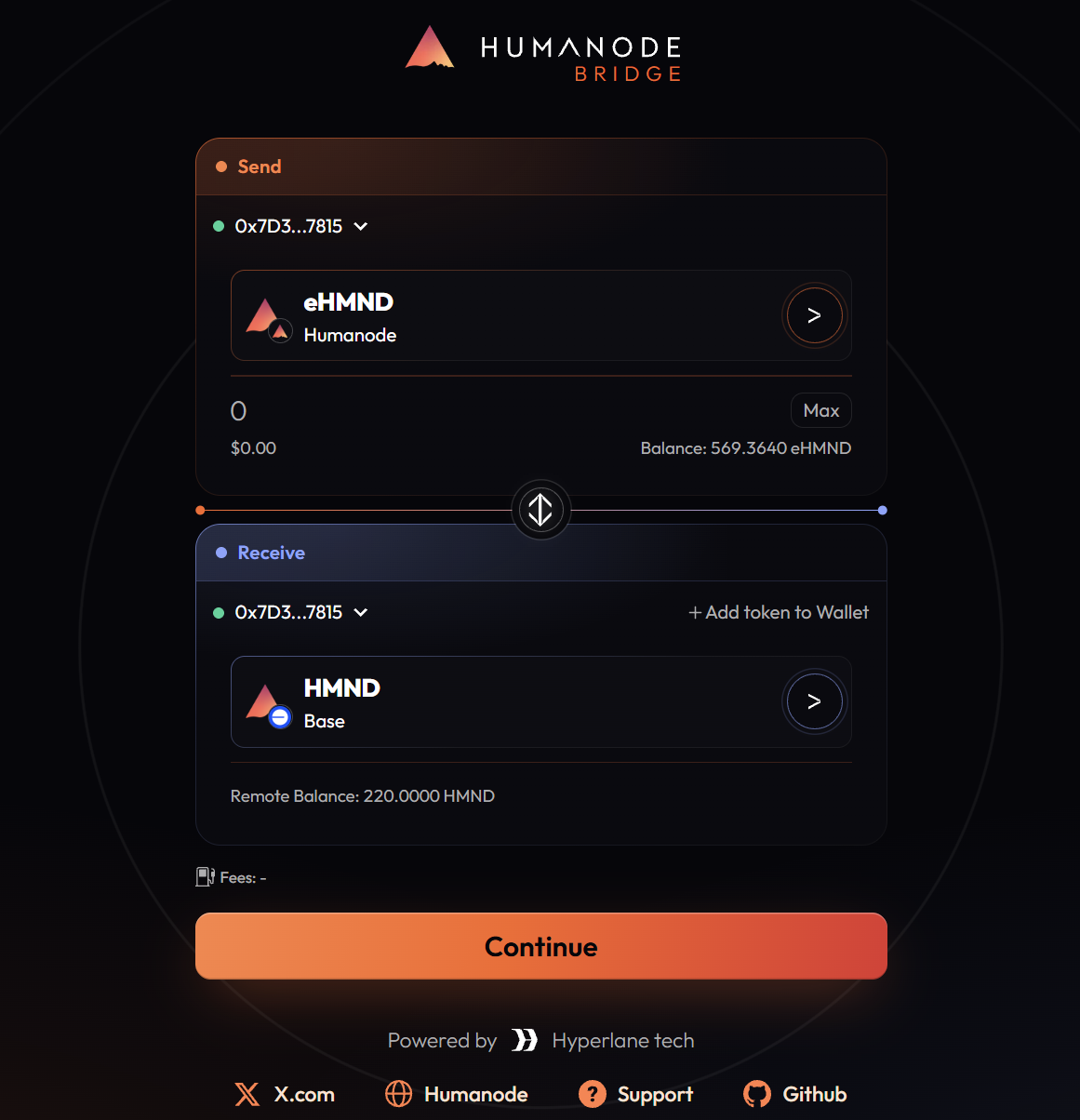
Open bridge.hmnd.app, connect any EVM wallet, pick the token, direction and amount, and confirm. The bridge fee is 0.3%, plus gas: HMND on Humanode, ETH on Base.
Bookmark the bridge address: scammers clone bridge sites. If the app shows "Above daily bridging limit", try a smaller amount or come back later.
Questions and support
If a transfer takes longer than expected, or something looks wrong, ask in the Humanode Discord. Include the transaction hash. Humanode team members will never DM you first and will never ask for your seed phrase or private keys.